
gFiber vs. Xfinity
gFiber is the most-awarded internet in the US for speed, reliability, and service.

See how gFiber compares to Xfinity¹
Are you getting the most for your money? gFiber delivers speeds (up to 8 Gig)² at a price that hasn’t changed since 2012.³
 | Xfinity | |
|---|---|---|
Same price since 2012. (No annual rate hikes or conditional promos) | ||
100% fiber optic internet network | Fiber all the way to to the home | Hybrid network, coaxial to the home |
Symmetrical upload and download speeds | ||
Latest Wi-Fi 7 equipment is included⁴ | ||
Lowest cost per Mbps | ($0.07) | ($0.16) |
No forced bundles required for savings | ||
Free professional installation, in-home service, and repairs |
How can we say all this? Check out 👇 for more info behind these comparisons.
The most awarded internet.

Upload (send) and download (receive) up to 1 gigabit per second
gFiber Wi-Fi 6E Router with up to one extender as needed for wall-to-wall Wi-Fi (or connect your own)
Up to near Gig speed even over wireless
Self setup with our App or free pro install with performance verification


Upload (send) and download (receive) up to 3 gigabits per second
gFiber Wi-Fi 6E Router with up to two extenders as needed (or connect your own)
Up to 5,000 sq ft of coverage and Gig+ speed even over wireless
Free pro install with custom setup and performance verification
Optimized networking of home office, gaming station or other two priority rooms
Optional add-on:
Internet battery backup in case of power loss
Home Phone


Upload and download up to 8 gigabits per second
gFiber Multi-Gig Wi-Fi 6E Router with 4 multi-gig LAN ports and up to 2 extenders as needed (or connect your own)
Up to 5,000 sq ft of coverage and multi-gig speed on multiple devices, even over wireless
Free pro install with custom setup and performance verification
Optimized networking of home office, gaming station or other two priority rooms
Internet Battery Backup in case of power loss
99.9%+ uptime or your money back (What this means)
Optional add-on:
Home Phone

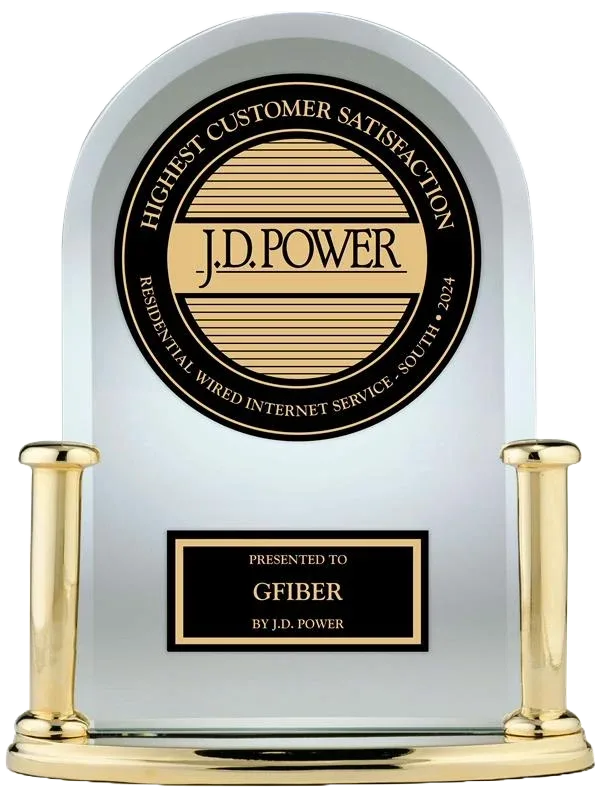
Incredibly honored.






Why gFiber
Our products are designed for you
gFiber designed its products to compliment your lifestyle, embedding each with the speed, features, and extras to match the kind of internet experience you need. You don’t need a computer science degree to understand at a glance which option would work best for you.
Simple pricing. No shenanigans.
Our transparent monthly pricing includes everything you need. No extra fees for Wi-Fi. No fine print on exploding deals. No better offers for some customers and not others. No charges for installation, customer service, or repairs, and no forced bundles required to get the best deal.
Service that customers trust
gFiber has built a different kind of internet service—one that earns the trust of its customers by always putting their experience first. That’s how gFiber has become America’s most decorated internet service provider, with practices and policies we want for ourselves and an extraordinary customer service experience – your choice, human or digital – whenever you need it.
Growing by popular demand, every day
gFiber is leading what’s next for the internet, constantly driving the bar higher and expanding its reach to new communities every single day. This growth is about more than just infrastructure; it’s about building the essential digital connections our towns need for a better tomorrow. gFiber is already serving 19 states and bringing fast, reliable internet to more homes across the United States every day.
It’s easy to switch
gFiber ensures every internet service is performing at its peak before a technician ever leaves the home. Through a signature installation experience that includes full performance verification, gFiber confirms the connection meets its high standards for speed, reliability, Wi-Fi coverage, and network performance. This uniquely comprehensive hands-on approach gives customers the confidence that their network is fully optimized and ready to handle every device in the household. With free professional installation and equipment included at no extra cost, gFiber makes it easy to make the switch.
A network built for what’s next
gFiber is built on a fiber network using the latest technology, including 25G PON, to deliver a future-proof connection that is ready for whatever you can dream up next.
Get the full story on better internet
See why our internet is worth making the change, and get the
simple tips you need for a smooth installation
Is gFiber Internet Worth It? Understanding High-Speed Internet Benefits
Should you switch to gFiber? The complete guide to upgrading your internet experience
Switching to gFiber? Here are Tips to Support a Smooth Installation
What’s your type?
Not sure what you want? Having a hard time committing? Find out which gFiber product is right for you.
1 of 8
How many people live in your home?
The more people connected to your network at the same time, the more bandwidth you likely need.
2 of 8
Is your apartment or home on more than one level, or more than 3 bedrooms?
Your internet coverage can vary based on the amount of space and layout in your home.
3 of 8
How much do you know about your home internet network?
4 of 8
Which best describes the way people and devices in your home use the internet?
5 of 8
Which of the following activities do you use the internet for? (select all that apply)
Internet bandwidth varies depending on activities and the types of devices you use.
6 of 8
Are there any rooms in your home where your internet connection is especially important?
Devices that are plugged directly into your router provide faster service than wireless connections.
7 of 8
How critical is maintaining the internet in your home during a power outage?
8 of 8
Which photo best represents a typical day in your life?

Our original internet, best for fundamental needs and smaller homes. Same price since 2012.
1 Gig$70/mo
If this isn't what you're looking for, feel free to explore all the gFiber products
Core 1 Gig was designed for you
Set it and forget it with our tried and tested Core 1 Gig product—a premium internet experience without compromise. Based on your home and everyday internet needs, you can count on having the right speed for everything you do.
If this isn't what you're looking for, feel free to explore all the gFiber products
Built for multitasking homes, where work depends on great internet and life runs on it.
3 Gig$100/mo
If this isn't what you're looking for, feel free to explore all the gFiber products
Home 3 Gig was designed for you
The internet isn’t just important for you and your work, but for everyone in your home. Our Home 3 Gig product delivers all the features you need to keep life running smoothly, with internet when and where you need it most, even when it’s all at the same time.
If this isn't what you're looking for, feel free to explore all the gFiber products
Cutting-edge, future-proof, always-on internet. Powered for what you’re doing now & everything you’ll do next.
8 Gig$150/mo
If this isn't what you're looking for, feel free to explore all the gFiber products
Edge 8 Gig was designed for you
Get ready for internet that helps you dream big. Looking at your answers, limitless internet is essential for what you do. Our Edge 8 Gig product delivers unbreakable internet at an untouchable price with guaranteed connectivity, Internet Battery Backup in case of a power outage, and multi-gig speeds for both wired and wireless connections.
If this isn't what you're looking for, feel free to explore all the gFiber products
FAQs
- Sign up for updates: If you have checked your address and we do not yet serve your location, please sign up for our updates. This adds your address to our interest list, which we use to help prioritize where we build next.
- Tell your neighbors: Encourage them to check their address and sign up, too. The more interest there is, the more likely we will be able to invest in your neighborhood sooner.
- Watch your inbox: We’ll be in touch as soon as gFiber is available to you. You don’t need to keep checking your address online, unless you change your email or move.
- If your home is fiber-ready: Installation can happen as soon as tomorrow—or maybe even today if you want to connect the equipment yourself.
- If your neighborhood is ready but your home isn't: It may take a few days to bring the fiber network to your property. Watch our what happens next to see how it works.
- If we aren't in your town yet: Construction can take a few weeks or months. If you’re curious about how we build, check out our video overview of the process: What is Microtrenching? | gFiber
- Performance verification at installation: When your professional tech installs your gFiber Wi-Fi router and back-up battery, they run our signature battery tests that are required for quality control. This confirms you get the speeds you signed up for.
- Performance monitoring (ongoing): We constantly run remote diagnostics across our network to identify any performance issues and ensure your connection consistently delivers fast, symmetrical speeds.
- The gFiber App: Get real time notifications about your system health and run your own speed tests right in the app.
- Third-party validation: gFiber pays close attention to speeds reported by third party sites, including Ookla, highspeedinternet.com, PCMag and other trusted companies that measure internet performance, as well as tests run daily by our customers.
- We don’t make you figure out how much speed or bandwidth you need, like some kind of "Gbps-to-life" math test. Our products are designed around how you live. Get speed and features that work for you at a price that hasn’t changed.
- Customer-centric support: gFiber makes it simple to find help digitally or talking with a person, whichever works best for you. gFiber pairs nationally recognized digital tools with a support team that treats every customer like a person, not a ticket number. It’s an approach designed to make managing internet service simple, backed by experts who are ready to help whenever they're needed. When you call us, you’ll talk to a real person in about 9 seconds or less.⁵ Plus, we don’t charge you for in-home service or repairs.
- Our pricing stays consistent. Our Core 1 Gig has been the same price since 2012, while competitors use introductory rates that explode.
- Unlike other providers, the latest Wi-Fi 7 equipment is standard in Home and Edge and 6E is standard in Core, without any premium equipment add-on fees.⁶ That means with gFiber you can get up to 3.4 gigs over wireless across your home.
- Signature installation: Our expert technicians provide a white-glove setup that includes in-home and remote diagnostics to ensure your Wi-Fi is good to go on day one.
- Special installation experience: In-home consult and hardwiring (using your home's existing wiring) of up to two high use areas like a home office or gaming station, if eligible.
- Access it in-app: The gFiber App is the simplest way to see who’s connected, run a speed test, check your network connections, self-serve to optimize your Wi-Fi, or engage with our team.
- 24/7 health monitoring: We automate a health report for your system and give you full visibility of this report in the gFiber App. We monitor and catch issues before you notice them.
- Rapid support: If you do need to reach out to us, you’ll connect to a real person in 9 seconds on average.
- Reliability options: The internet doesn’t have to go down just because of a power outage. With battery backup options for internet equipment—included with Edge 8 Gig and available for Home 3 Gig—gFiber keeps customers connected, even when the grid has other plans.⁷