Enable or Disable Your Caller ID
You can choose what people see when you call them. Use the GFiber Phone portal to show your name and number, display a specific line, or hide your Caller ID entirely. You can also use star codes to block or show your Caller ID for a single call.
Manage Your Outbound Caller ID
Your Caller ID typically includes your name (CNAM) and phone number. You can choose to show your main number, a specific line number, or no information at all.

Change your settings in the GFiber Phone Portal
-
Sign in to your GFiber account.
-
Click Phone to open the GFiber Phone portal.
-
Select the Settings tab.
-
Scroll to the User Information section.
-
Turn Enable Caller ID on or off.
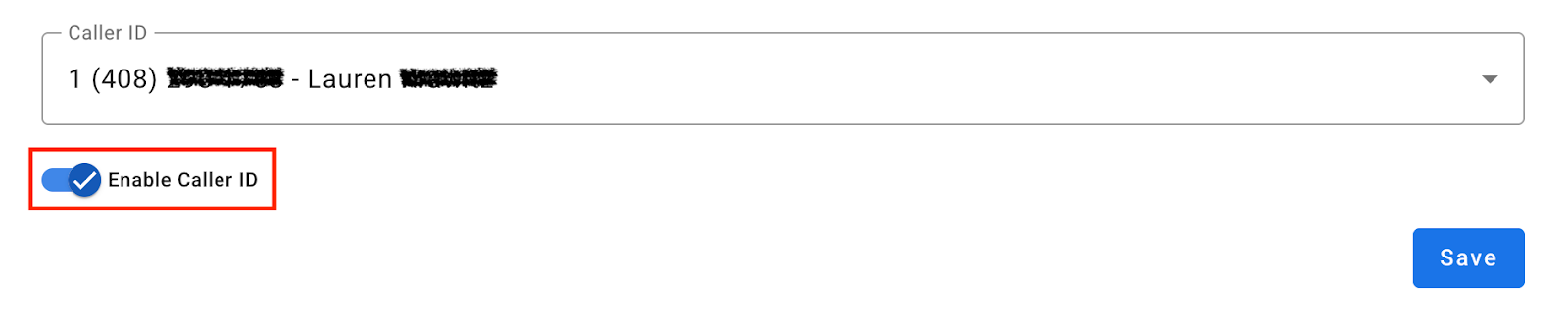
 If you set your Caller ID to None, some phone companies may automatically block your calls.
 -
Choose an option from the Caller ID dropdown menu.

To hide the display of your number from Google Voice:
Sign in to your GFiber account and select Phone from the navigation menu. You will be taken to Google Voice.
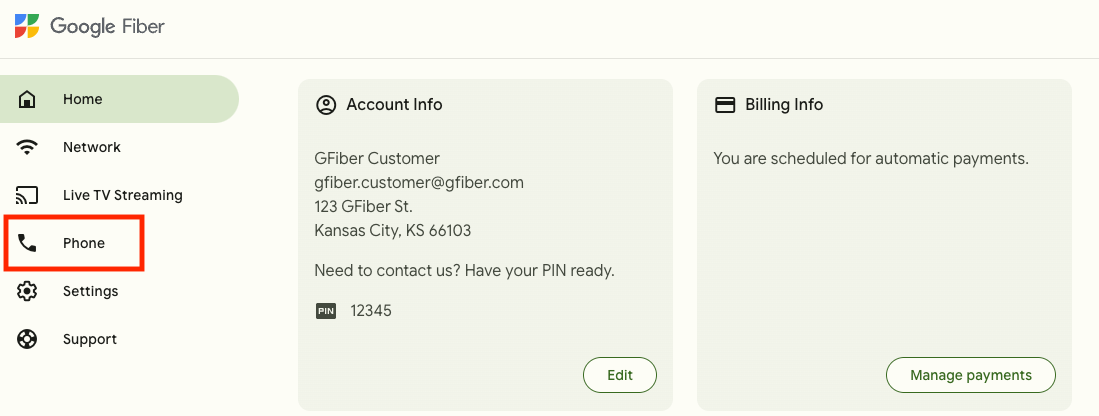
Click Settings at the top right.
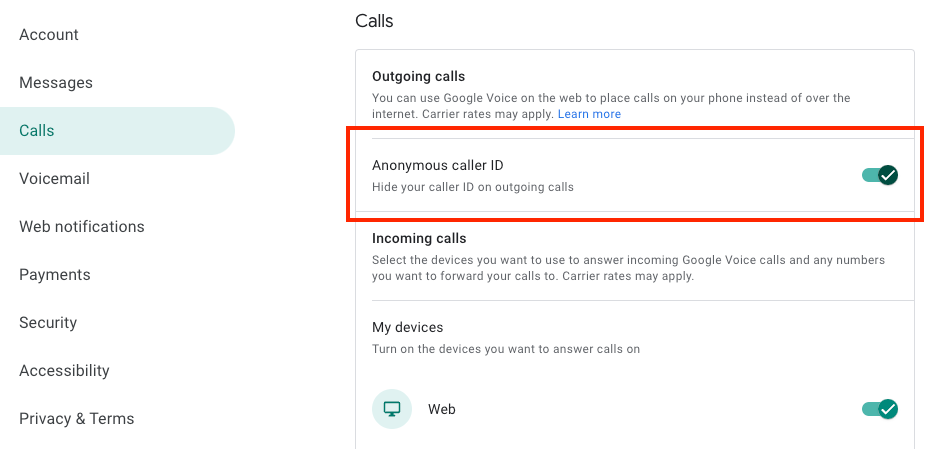
On the left, click Calls.
Turn on Anonymous caller ID.
Block or Unblock for a Single Call
Want to change your Caller ID for just one call? Use a star code before dialing the number.
-
To hide your Caller ID: Dial *67, then enter the phone number (example: *67-503-555-5555). Your Caller ID will appear as "Blocked" for that call.
-
To show your Caller ID: Dial *65, then enter by the phone number (example: *65-503-555-5555). Your name and number will display for that call.