Set Up a New GFiber Phone Number
If you want to start using GFiber Phone with a new number, you can add phone service to your existing GFiber plan directly from your online account. During setup, you’ll be able to choose the phone number you’d like to use for your service.
Once your number is set up, you can manage your phone settings anytime through your GFiber account.

What You’ll Need Before You Start
Before adding GFiber Phone to your plan, make sure you:
-
Have an active GFiber internet plan
-
Can sign in to your GFiber account
-
Are ready to choose a new phone number during setup
Prefer to use an existing number? You can transfer (port) your current phone number to GFiber Phone instead.
How to Get a New GFiber Phone Number
Once you’ve followed the steps to sign up for GFiber Phone, you can choose your new number:
-
Sign in to your GFiber account.
-
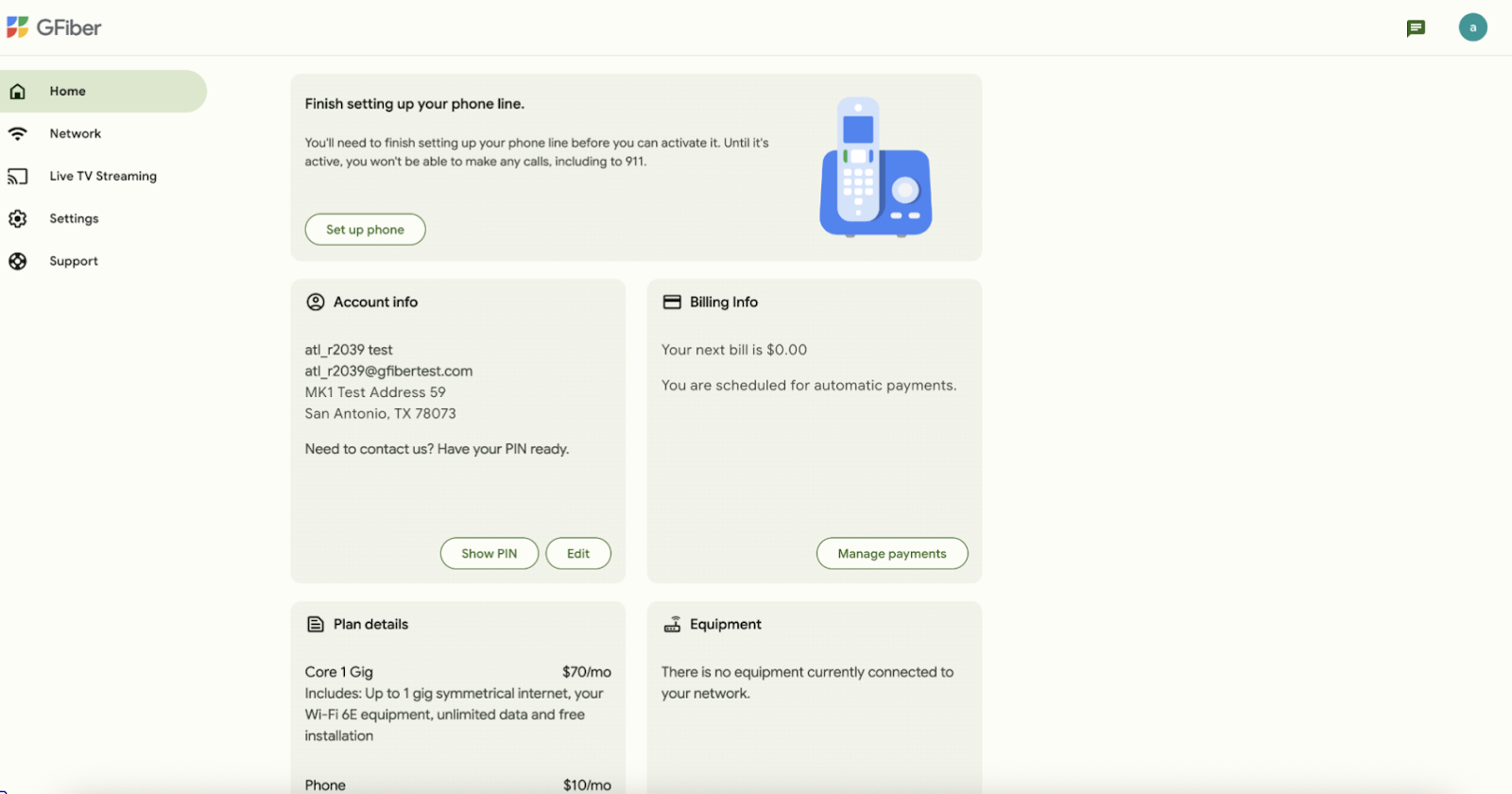
In the Finish setting up your phone line section, click the Set up phone button.
-
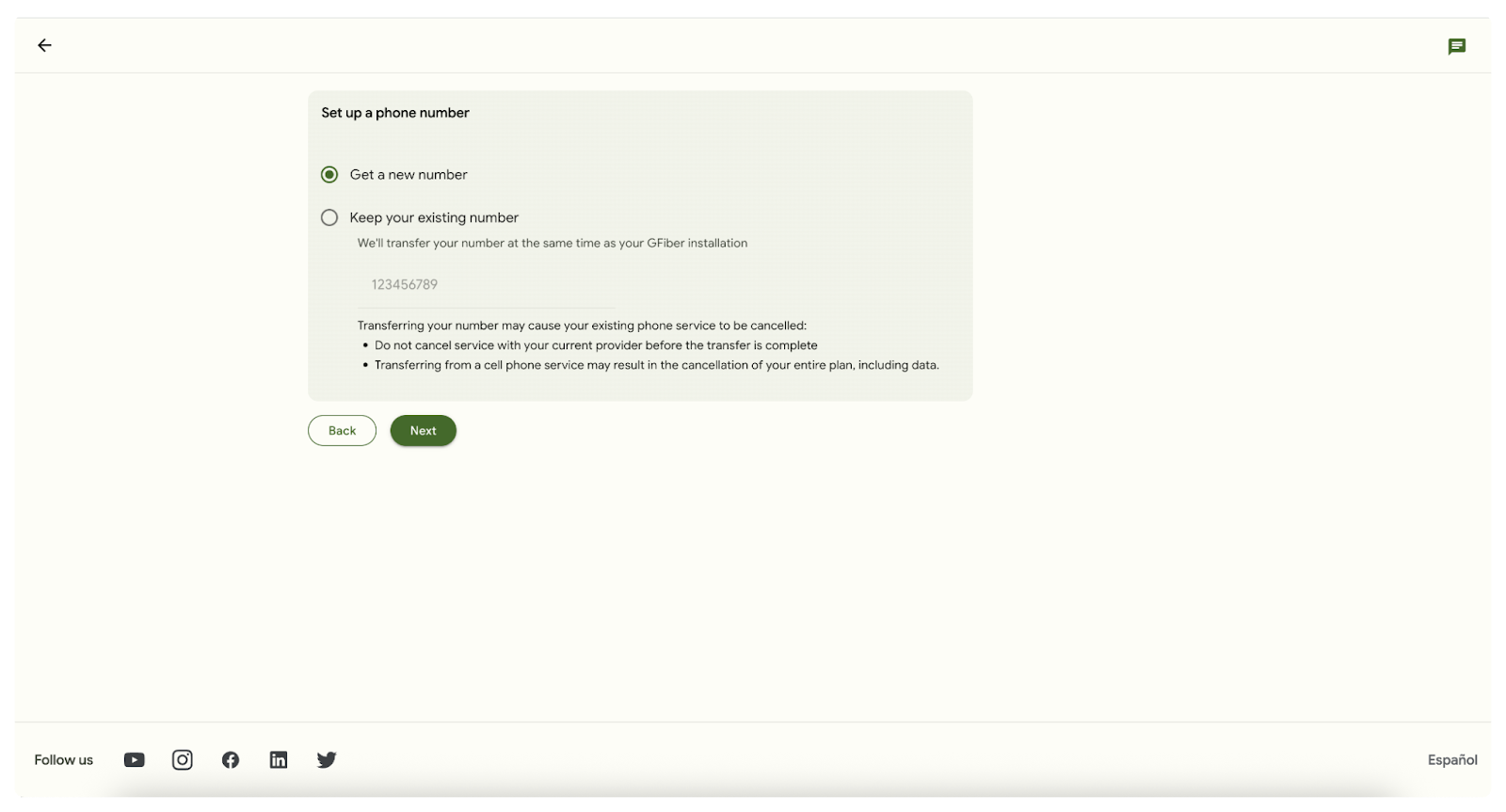
Select Get a new number. Click the Next button.
-
Enter an area code and new number. Select from the options below and click Next.
 Numbers are only reserved for 30 minutes. Please select the number you’d like within this timeframe or we cannot guarantee their availability. If more than 30 minutes have gone by, you can refresh the page to get a new list of available numbers.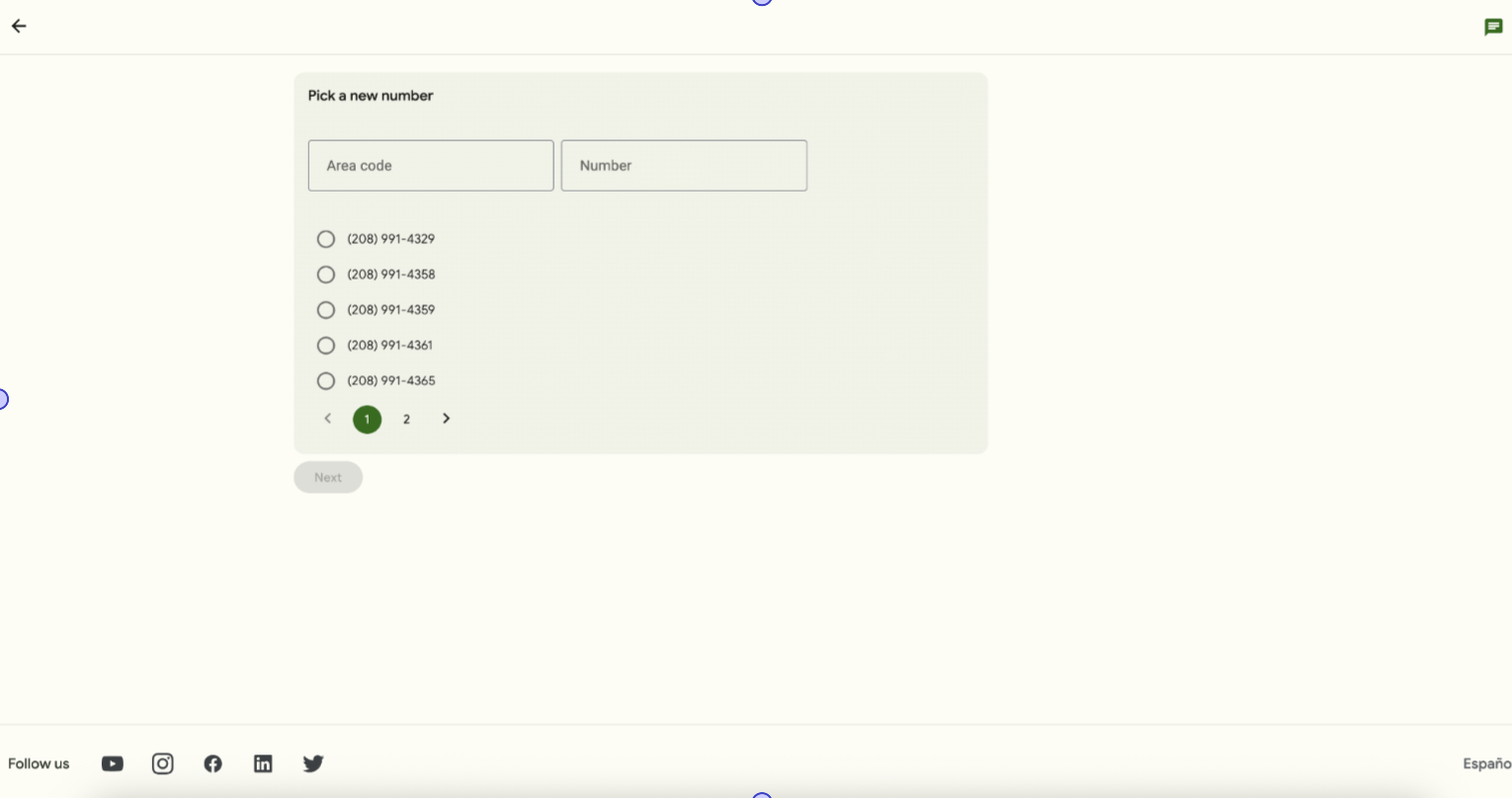
-
The next steps depend on your current home configuration.
-
Self-install kit: You’ll have a GFiber Phone Self Installation kit sent to your house (or you can pick it up). Follow these steps to install.
-
Pro installation appointment: You’ll be prompted to schedule a phone installation appointment.
-