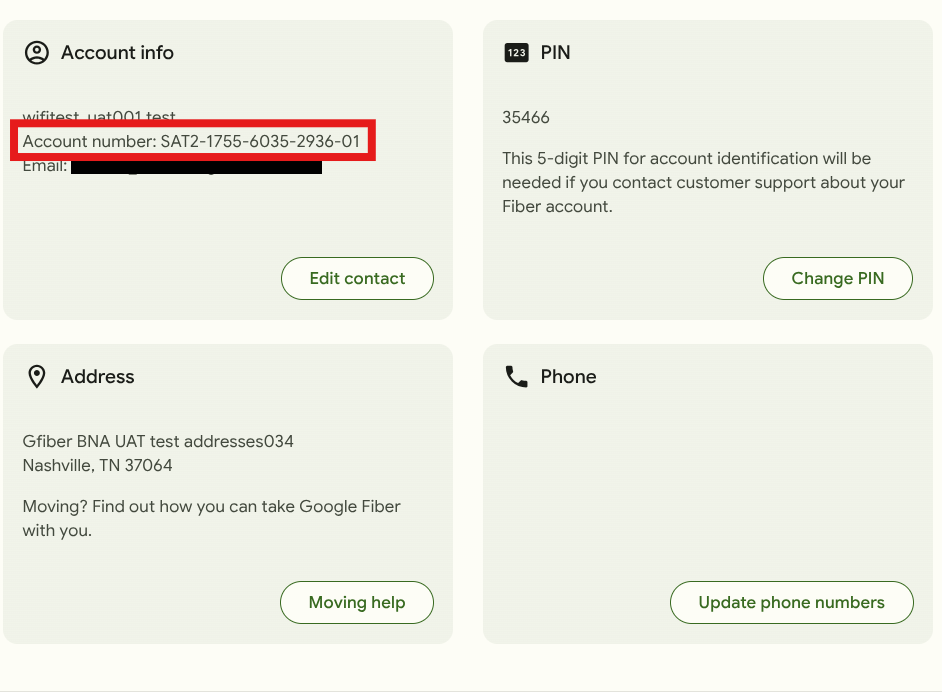
Find Your GFiber Account Number
Looking for your GFiber account number? We'll show you where to find it in your online account. Sign in to view your account details and locate your number.

Your account number is different from your GFiber PIN number. You’ll need both when contacting support.
You can find your GFiber account number on your main account page after you sign in. This number — along with your 5-digit support PIN — comes in handy when you contact support or if you plan to port your phone number to a different provider.
Use the GFiber Web Portal
-
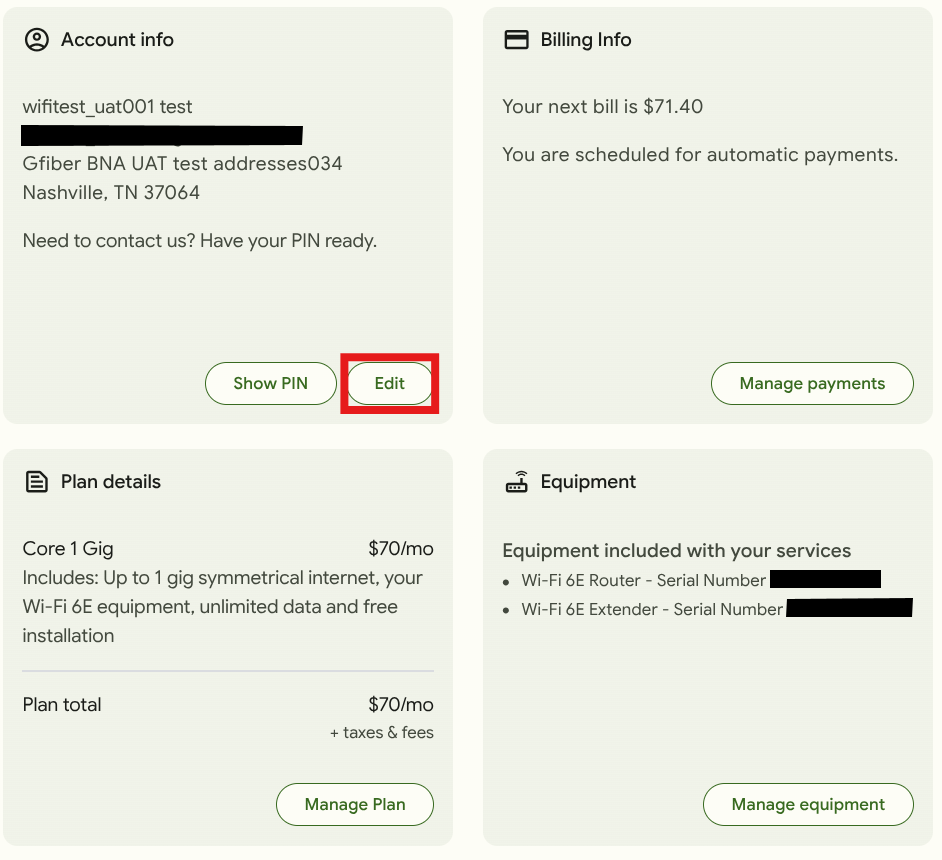
Sign in to your GFiber account.
-
In the Account info section, click the Edit button.
-
In the Account info section, find Account number.