Update Your Account Name, Phone Number, or Email
Learn how to update your GFiber account name and phone number using the GFiber App or web. To change your email address, contact GFiber support.
We want to make sure you get important updates about your service. You can change your account name or phone number anytime in your GFiber account settings.

Need to change your billing address or payment details? Check out how to add, update, or remove payment methods.
Use the GFiber Mobile App
Before you begin, download the GFiber App from the Google Play Store or the App Store.
- Open the GFiber App and sign in.
- Tap the Account tab at the bottom of the screen.
- Scroll down and tap Contact info.
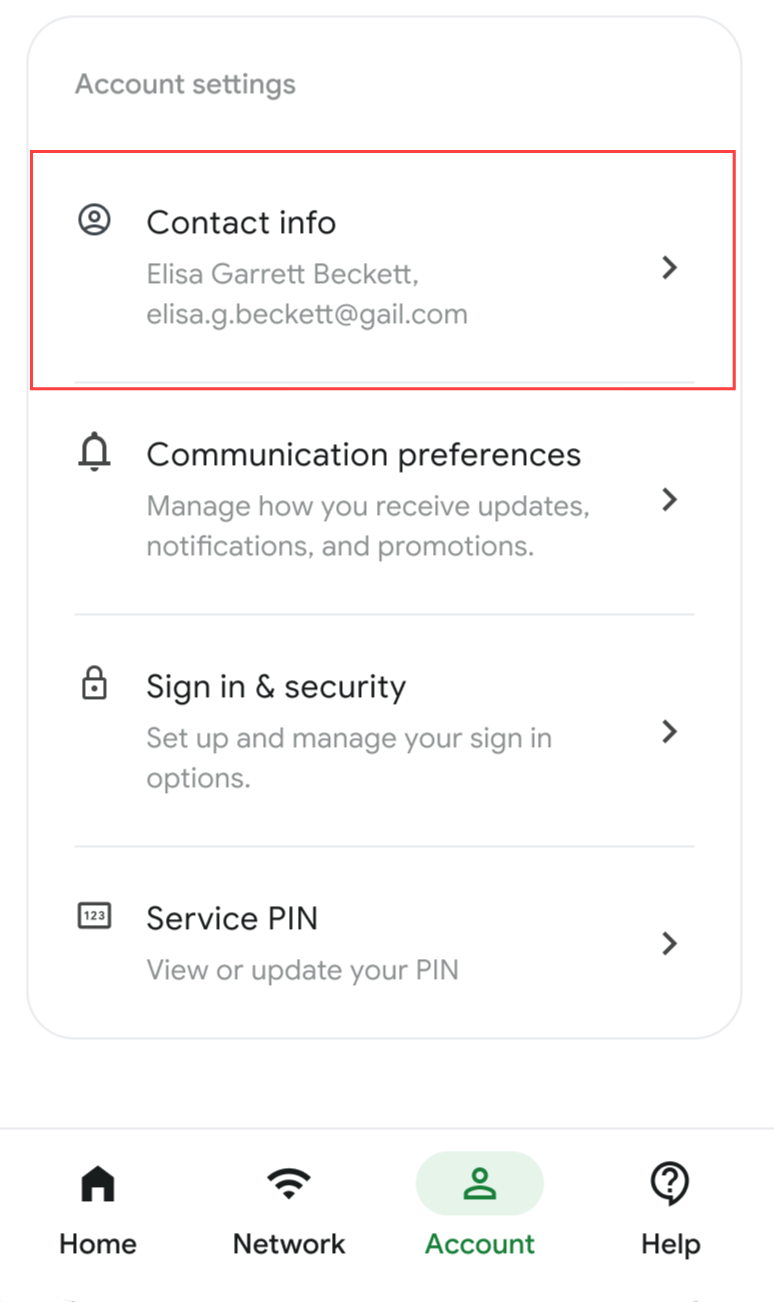
- Select the field you want to update (Name or Phone Number).
- Enter your new information.
- Tap the Save button.
Use the GFiber Account Portal
- Sign in to your GFiber account.
- On the main account page, find the Contact info section.
- Click the Edit button.
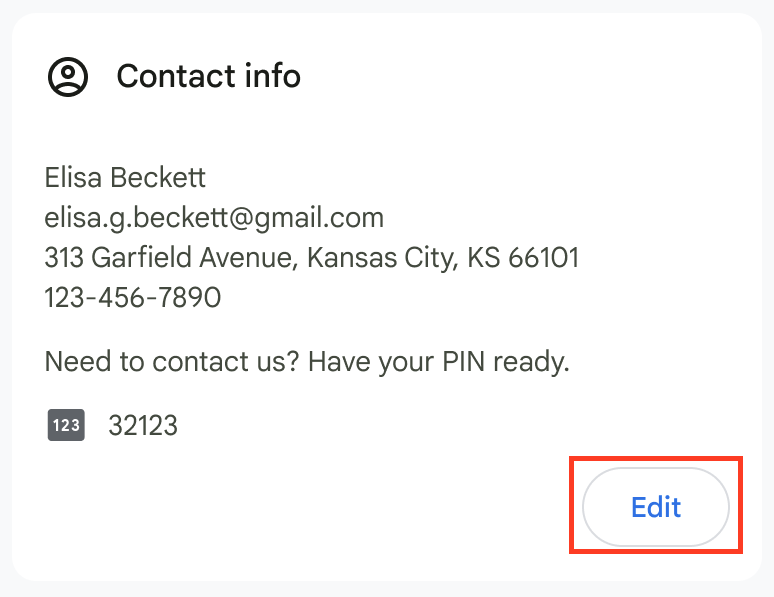
- Select the field you want to update (Name or Phone Number).
- Enter your new information.
- Tap the Save button.
FAQs
Your email is linked to your active service, so it can't be changed directly in your account settings.
If you need to use a different email to sign in, please contact GFiber support. Our team can securely update your contact information or transfer your account to a new email address.